Clipboard
The Clipboard is your place to quickly access course topics and reference files you’ve saved for later.
How to Save Items
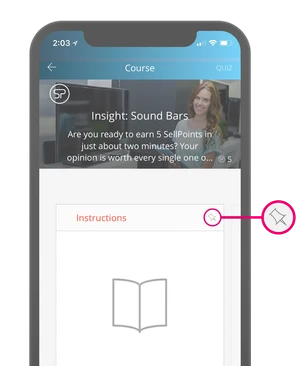
When viewing a course topic or reference file, tap the pin icon. This adds the item to your Clipboard so you can find it again without searching.
Where to Find Saved Items
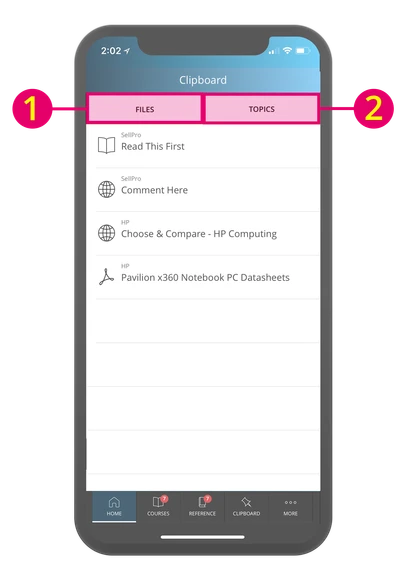
Open Clipboard from the side menu or bottom menu to see everything you’ve pinned:
-
Topics tab: Saved course topics
-
Files tab: Saved reference files
Use Clipboard anytime you want fast access to content you’re actively learning or need in the moment.
Was this article helpful?